


Dictaphone roundup
Dictaphone: A Complete Buyer's Guide
The dictaphone market looks simple until you start reading specs. This buyer's guide breaks down what actually matters — microphones, formats, budget tiers and workflow — so you buy the right one for the job.
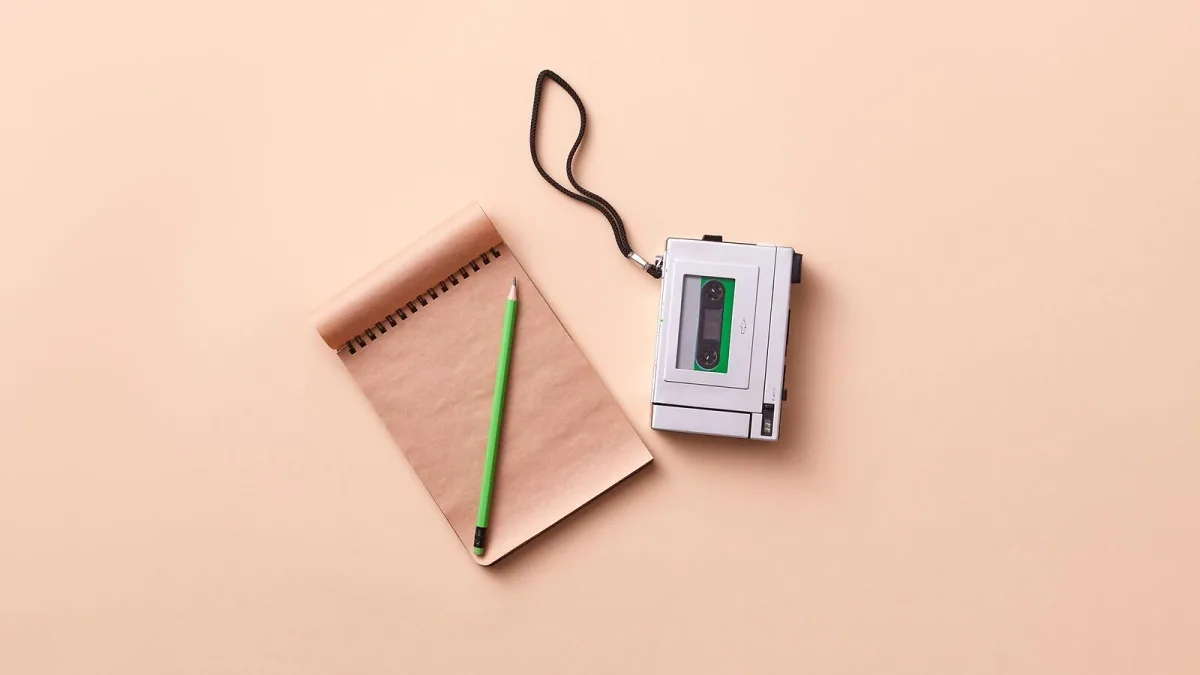
Buying a dictaphone sounds simple enough — it's just a recorder, right? In practice, the market splits into half a dozen distinct segments, the specs can be misleading, and a device that's perfect for a GP dictating patient notes is hopeless for a musician trying to capture a live room. This guide cuts through the options so you spend your money on the right tool.
Decide Your Use Case First
Before looking at any specs, be honest about what you'll actually record. The answer changes everything.
- Speech and dictation — interviews, meetings, voice memos, medical notes. A compact voice recorder with noise reduction is what you want.
- Musical ideas — melodies, chord progressions, arrangement sketches. You need decent stereo microphones and WAV recording.
- Field recording — ambience, instruments, location audio for film or podcast production. Step up to a proper field recorder with XLR inputs.
- Lectures and conferences — long recordings, often in large rooms. Battery life and voice activation matter more than audio quality.
Most people buying a dictaphone for the first time underestimate how much the microphone quality matters. A cheap speech recorder with a single omnidirectional capsule will make a guitar sound hollow and lifeless. Keep that in mind.
Key Specs and What They Actually Mean
Bit Depth and Sample Rate
You'll see figures like "16-bit/44.1kHz" or "24-bit/48kHz" on the spec sheet. The first number is bit depth — a higher number means more dynamic range between the loudest and quietest sounds. The second is sample rate — how many audio snapshots are taken per second. For speech, 16-bit/44.1kHz is ample. For music or audio you intend to mix, 24-bit/48kHz is the professional standard. Some field recorders go to 32-bit float, which gives you an extraordinary amount of headroom and is genuinely useful if you can't monitor levels in real time.
Microphone Configuration
Single omni, stereo XY, stereo AB, mid-side (M-S) — the options multiply as you move up the price range. For voice, a single directional capsule is ideal. For music and ambience, a stereo configuration (two capsules at 90–120 degrees apart) gives a natural, spacious image. Mid-side is the most flexible stereo format — you can adjust the width in post — but it adds complexity and is mainly for experienced users.
Inputs: Built-In vs External
Budget dictaphones have only built-in microphones. Mid-range and professional models add a 3.5mm mic input or, at the top end, XLR inputs with phantom power (which powers condenser microphones — the kind used in studio recording). If you ever want to plug in an external microphone, check that the input exists and that phantom power is available if you'll need it.
File Formats
Most devices record in MP3, WAV, or both. Some also support WMA or the Olympus proprietary DSS format (designed for speech transcription services). Stick to MP3 or WAV — they're universal and any software will read them without conversion.
Budget Tiers: What You Get at Each Level
Under £50 — Entry-Level Voice Recorders
At this price you get a functional dictaphone that does the basics well: clear speech recording, voice activation, USB file transfer and a few hours of battery life. The microphones are single or small stereo capsules, noise reduction is present but not sophisticated, and build quality is plastic. Fine for lectures and quick voice memos. Not suitable for music.
£50–£150 — The Mid-Range Sweet Spot
This is where the selection opens up. Olympus and Sony offer solid voice recorders here with proper directional microphones, multiple recording quality settings, better noise reduction and longer battery life. Tascam and Zoom start appearing at the upper end with stereo microphone configurations that handle music and ambience acceptably. If you want a single device for both speech and musical sketches, budget around £80–£120.
£150–£300 — Serious Field Recorders
Zoom H-series and Tascam DR-series recorders at this price offer 24-bit recording, XLR inputs with phantom power, interchangeable microphone capsules and robust build quality. These are professional tools used in broadcast, film location audio and live music recording. If you're capturing instruments or need to connect external microphones regularly, this is the tier to target.
Over £300 — Specialist and Professional
High-end field recorders, 32-bit float devices and multi-channel recorders live here. Unless you're working in broadcast production or recording live multi-instrument sessions, you won't need anything in this range for dictaphone-style use.
Features That Are Worth Paying For
- Variable playback speed — slow down recordings for transcription without pitch shift. Non-negotiable for journalists and medical professionals.
- Backlit display — makes it usable in a dark auditorium or studio without fumbling.
- Low-cut filter — reduces handling noise and rumble; useful for handheld use.
- Peak limiter — automatically reduces the gain when audio spikes to prevent clipping. Essential if you can't watch levels during recording.
- USB audio interface mode — some recorders double as USB microphones for your computer. Handy for Zoom calls or direct recording into a DAW.
Features That Are Often Overstated
- Very high internal storage — 8GB of speech at mid-quality is roughly 250 hours. You don't need 32GB.
- Quoted frequency response — marketing figures on speech recorders are aspirational. Test recordings tell you more than any spec sheet.
- Built-in speaker quality — tiny and frankly awful on every device in this category. Always use headphones for critical listening.
Connectivity and Workflow
Check how you'll get files off the device. USB connection (drag and drop as a mass-storage device) is the standard and the simplest. Some models offer Bluetooth transfer to a smartphone, which is convenient for quick sharing. SD card slots let you swap cards rather than wait for a USB transfer — useful for long sessions. If you'll be transcribing, check whether the device's companion software (Olympus Sonix, Philips SpeechExec) is compatible with your operating system and workflow.
Making the Final Decision
Match the device to the main job. A journalist's dictaphone and a musician's portable recorder are different tools with overlapping specs — knowing which you primarily are saves money and frustration. For a full explanation of dictaphone types and how they work, see our guide to dictaphone features, types and tips. If you're just starting out and unsure where to begin, the beginner's guide to dictaphones gives you a gentler on-ramp before committing to a purchase.
The Bottom Line
For speech and dictation, a mid-range voice recorder from Olympus, Sony or Philips between £50 and £100 is the sensible choice. For music, ambience and higher-quality capture, stretch to a Zoom or Tascam field recorder. Don't buy on storage size or feature count — buy on microphone quality and form factor for the way you actually work.






Comments