


Serato DJ roundup
Serato Dj: A Complete Buyer's Guide
You're not just buying software, you're buying into an ecosystem. Here's exactly what to check before you commit any money to Serato DJ.
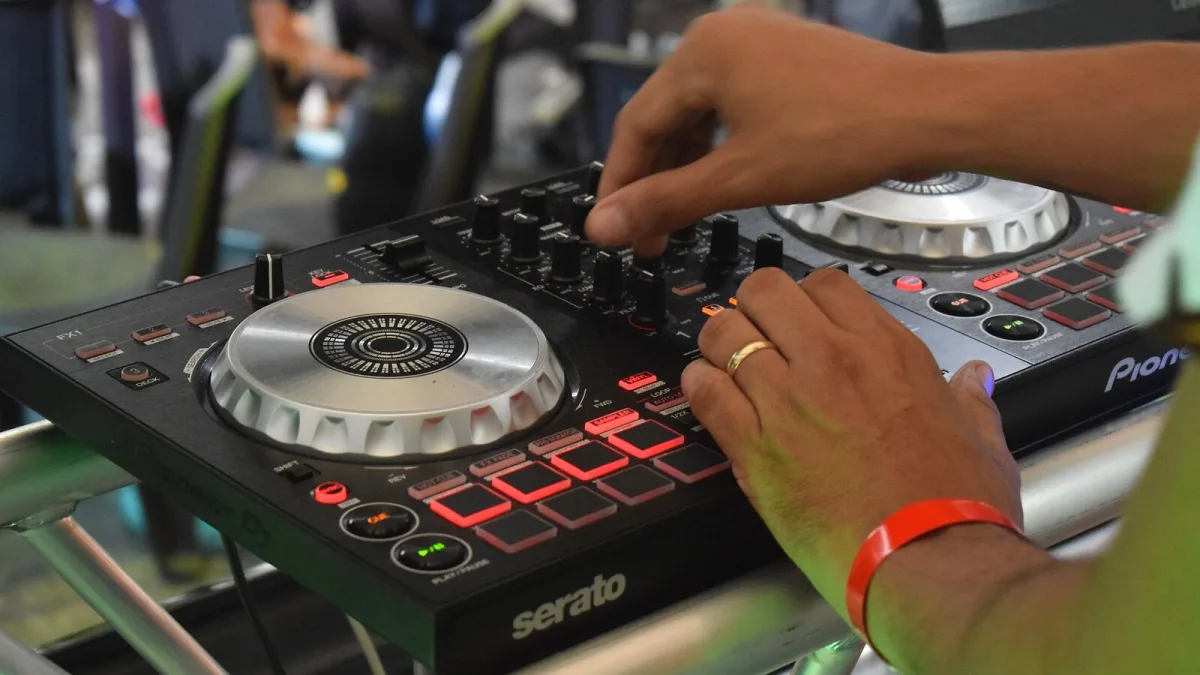
Picking a DJ platform isn't like picking a plugin — you're choosing an ecosystem you'll live inside for years, tied to specific hardware, subscriptions and workflows. If Serato DJ is on your shortlist, here's exactly what to check before you commit any money, broken down into the decisions that actually matter.
Decision One: Lite or Pro?
Start here, because it decides everything downstream. Lite is free and covers the basics on supported entry-level controllers — four cue points, four sample slots, simplified sync. Pro unlocks eight cue points, 32 sample slots, four-deck operation, full Stems and sync, and support for professional mixer and DVS workflows, for US$11.99 a month or US$299 outright.
The honest test: if you're mixing at home or doing the odd house party, Lite genuinely covers it. If you're booking paid gigs, mixing four decks, or want proper Stems control, budget for Pro from day one rather than upgrading mid-project.
Check Your Hardware Compatibility First
Don't buy a controller and hope. Cross-check any hardware against the official compatibility database before you spend anything, because "works with Serato" covers a spread of different things:
- Plug-and-play — the controller unlocks the software directly, no faff.
- Official mapping — the manufacturer and Serato have built proper control assignments.
- Manual MIDI mapping — you set it up yourself, and support can be patchier.
- DVS-specific compatibility — needs a supported mixer or interface on top of your turntables or media players.
Recent updates have added official mapping for gear like the Pioneer DJ DJM-250MK2, DJM-750MK2 and DJM-450, and the AlphaTheta DJM-V5, so it's worth checking whether your shortlist has had recent attention rather than assuming an older listing is current.
Work Out If You Actually Need DVS
Digital Vinyl System support — controlling digital files with timecode records or CDs on real turntables or CDJs — is a genuinely lovely feature if you're coming from a vinyl or scratch background. It's also an added cost and complexity most controller DJs simply don't need. Be honest about whether you want the physical feel badly enough to pay for the extra mixer, interface and licensing that DVS setups usually require.
Is the Suite Bundle Worth It?
Serato's Suite tier runs US$14.99 a month or US$499 outright, and it bundles Pro with DVS, Pitch 'n Time, FX, Flip, Play, Video and the separate Serato Studio production software. That's a genuinely good deal if you'll actually use more than one or two of those extras — a mobile DJ who also edits video, say, or a bedroom producer who wants Studio alongside a proper DJ rig. If you'd only ever touch the DJ software itself, the standalone Pro licence is the cheaper, cleaner choice.
Check Your Computer, Not Just the Software
This one catches people out. The current software generation requires a processor supporting the AVX instruction set, and Windows ARM machines — including Qualcomm Snapdragon X-series laptops — aren't currently supported at all. Before you buy any bundle, controller or subscription, check your own laptop against those requirements. There's nothing worse than a shiny new controller arriving to a computer that won't run the software properly.
Streaming vs Owned Files: Decide Your Library Strategy
Integration with services including Apple Music, Spotify, Beatport Streaming, SoundCloud Go+ and TIDAL means you technically don't need a huge owned library to get started. In practice, most working DJs still keep core files stored locally, because streaming introduces its own risks — tracks can disappear, offline access can be restricted, and a shaky connection at a gig is not where you want to find that out. If you're buying in specifically to avoid building a library, go in with your eyes open about that trade-off.
Buying for Where You Are Now
If this is your first setup rather than an upgrade, our beginner's guide to Serato DJ is the better starting point — it strips a lot of this decision-making down. And for the fuller context on where the platform came from and what it's building towards, read our complete guide to Serato DJ.
The Bottom Line
Buying into this ecosystem well comes down to four honest questions: do you need Pro's extra features, does your hardware shortlist have solid current support, does your laptop actually meet the system requirements, and will you use enough of the Suite extras to justify the bundle. Answer those properly and you'll spend your money once, not twice. Before you check out, it's worth a look at our list of common Serato DJ mistakes to avoid.




Comments