


Software Cubase article
Software Cubase: A Complete Guide
From MIDI sequencer to full studio-in-a-box: what Cubase is, what's new in version 15, and who it's genuinely built for.
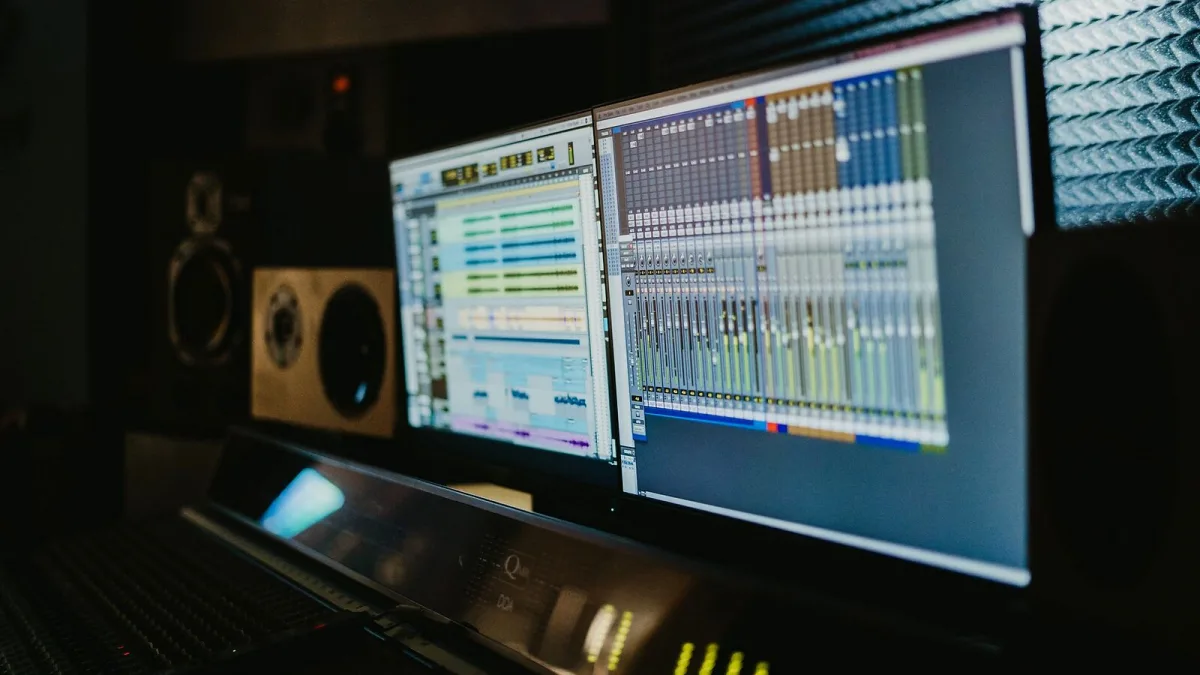
Cubase is one of those pieces of software that quietly does almost everything, which is exactly why it can look intimidating from the outside. Steinberg's flagship digital audio workstation handles recording, MIDI programming, notation, mixing and mastering in one place, and the current release — Cubase 15 — adds a genuinely useful pile of new tricks on top. Here's the full picture: what it is, where it came from, what's new, and who it actually suits.
What Is Cubase?
At its core, Cubase is a digital audio workstation, or DAW: software for recording audio, programming and editing MIDI, arranging a song on a timeline, mixing everything together and exporting a finished file. Steinberg, the German company behind it, builds it around a particularly strong combination of detailed MIDI production, orchestral and film-scoring tools, conventional multitrack recording and integrated mixing — which is a broader spread than several of its rivals attempt in one application.
A Brief History: From MIDI Sequencer to Full DAW
Cubase didn't start life as the all-in-one studio it is today. It began as a MIDI sequencing platform back in the Atari computer era, long before audio recording lived inside the same software. Steinberg's later introduction of VST — Virtual Studio Technology — was the real turning point, establishing the plugin model that let third-party virtual instruments and effects run directly inside a DAW. That history still shapes the software now: it retains an unusually deep MIDI and arrangement environment alongside its audio tools, rather than treating MIDI as an afterthought.
What's New in Cubase 15
Released on 5 November 2025, Cubase 15 is the current major version, and it's a substantial update rather than a cosmetic refresh:
- Redesigned Expression Maps – Steinberg describes it as a major leap for composers managing articulations like staccato, legato and pizzicato across orchestral instruments.
- Melodic Pattern Sequencer – expands the pattern-based sequencing from the previous version into full melodic generation, useful for sketching rhythmic and melodic ideas quickly.
- Expanded modulators – a broader modulation system with scripting functionality for sound design.
- Stem separation – built on Steinberg's SpectraLayers technology, capable of pulling vocals, drums, bass and other elements out of a mixed audio file.
- Omnivocal – an experimental vocal-synthesis instrument, currently in open beta.
- Score Editor redesign – a refreshed notation environment with tighter export integration into Dorico, Steinberg's dedicated notation software.
Inside a Project: The Core Tools
However you use it, most of that work happens through a fairly consistent set of tools:
| Tool | What It's For |
|---|---|
| Key Editor | Piano-roll MIDI editing |
| VariAudio | Pitch and timing correction for vocals and monophonic instruments |
| AudioWarp | Time-stretching and timing correction |
| MixConsole | The main mixer, with group routing and automation |
| Control Room | Monitoring, cue mixes and studio routing |
| Expression Maps | Articulation and keyswitch management for orchestral instruments |
| Score Editor | Notation, arranging and printing |
Who Cubase Suits Best
Because it covers so much ground, different users lean on different corners of the software:
- Songwriters and producers get recording, MIDI instruments, arrangement and mixing in a single environment.
- Electronic producers can lean on the pattern sequencer, modulators and included synthesisers for sound design.
- Vocal producers benefit from VariAudio, comping and detailed editing.
- Orchestral and film composers get Expression Maps, the Score Editor and tight articulation control.
- Mix engineers have MixConsole, VCA faders, Control Room and extensive automation to work with.
If you're weighing it up against the alternatives, or wondering which edition actually matches how you work, our complete buyer's guide to Cubase breaks down Elements, Artist and Pro in detail.
Editions at a Glance
| Edition | Best For |
|---|---|
| Elements | Basic recording, MIDI and mixing for newcomers |
| Artist | Expanded tools and content for serious home and project-studio work |
| Pro | The full feature set, including advanced scoring, mixing and routing |
Exact pricing and feature limits shift with promotions and licensing terms, so it's worth checking Steinberg's own comparison page before committing.
Cubase in the Wider DAW World
It sits in an interesting middle ground. It's less specialised for clip-based, loop-driven performance than Ableton Live, and less narrowly notation-focused than a dedicated tool like Dorico, but it combines more of those functions into a single application than either. That breadth is precisely why the learning curve has a reputation for being steeper than some more tightly focused DAWs — a trade-off worth knowing about before you dive in.
Where the Learning Curve Actually Bites
It's worth being honest about the trade-off, since it catches a lot of newcomers off guard. Because Elements, Artist and Pro all share the same broad philosophy — recording, MIDI, notation and mixing under one roof — the menus and preferences run deep, and the first few sessions can feel like more admin than music-making. That's less a flaw than a side effect of ambition: a tool this comprehensive was never going to feel as immediately obvious as something built to do one job well. Once the layout clicks, though, the depth becomes the whole appeal rather than an obstacle.
Stem Separation in Practice
The new stem-separation tool deserves a fair note of caution alongside the enthusiasm. It's genuinely handy for building practice tracks, prepping a remix, or rescuing usable elements from an old stereo mix, but it isn't a substitute for having the original multitrack session. Separated audio can carry artefacts — some bleed between elements, smeared transients, occasionally odd-sounding vocals or cymbals — so it's best judged by ear in context rather than expected to sound flawless in isolation.
The Bottom Line
Cubase remains one of the most complete traditional studio-style DAWs available. This new version pushes that further with genuinely useful additions rather than gimmicks. If you're brand new to it, our beginner's guide to Cubase walks through setting up your very first project step by step, so you're not staring at an empty window wondering where to start.






Comments