


Native Instruments article
Native Instruments for Beginners: A Complete Guide
You don't need to understand the whole Native Instruments catalogue to get started. Here's a calm, step-by-step way in.

If the name Native Instruments has come up and you're not sure where to even begin, that's completely understandable — the catalogue is large, and it's easy to feel like you need to understand all of it before you touch any of it. You don't. Let's go through this properly, one step at a time.
First, What You're Actually Dealing With
It's a company that makes software instruments, sound libraries and effects, alongside some of the hardware that controls them. You don't need to learn every product it makes. You need a small, working starting point, and a clear idea of what each piece is actually for.
Step One: Install Komplete Start
Komplete Start is free, and it's a genuine collection of instruments, effects and sounds rather than a limited trial. This is where nearly every beginner should start, because it lets you get hands-on with real NI instruments before you've spent a penny.
Step Two: Understand Native Access
Native Access is the software that manages installation, registration and updates for everything NI makes. Once Komplete Start is installed, open Native Access and take a moment to see how products are listed, updated and organised — you'll be using this same screen for everything you add later.
Step Three: Decide What You're Trying to Make
This matters more than it might seem. Different goals point toward genuinely different tools:
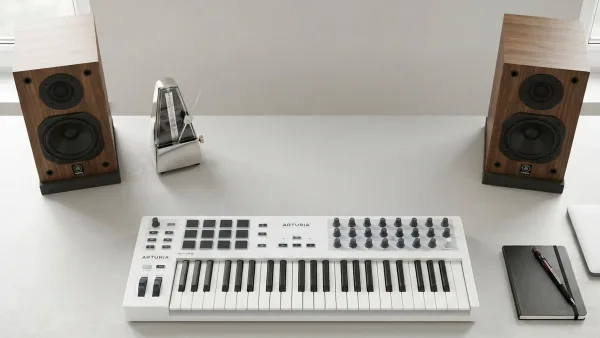
- Playing melodic parts — you'll want a basic MIDI keyboard alongside your software instruments
- Making beats — a pad controller like Maschine Mikro suits rhythm-first, hands-on production
- Working entirely with a mouse and existing DAW — you may not need extra hardware at all to begin with
There's no need to buy anything extra until you've spent real time with what Komplete Start already gives you.
Step Four: Load an Instrument Inside Your DAW
Whatever DAW you're already using — Ableton Live, Logic Pro, Cubase, FL Studio or another — NI's instruments are designed to sit inside it as plug-ins rather than replace it. A typical first session looks like this:
- Open your DAW and create a new instrument track
- Browse for an NI instrument, such as a Kontakt library or a Massive patch, in Native Access or your DAW's plug-in browser
- Load it onto the track
- Play it using your MIDI keyboard, pad controller or your computer keyboard as a substitute
- Save the project, keeping the instrument loaded so you can return to it later
Don't worry about doing this "correctly" the first time. The goal at this stage is familiarity, not a finished track.
Understanding Kontakt Without Getting Overwhelmed
Kontakt often confuses beginners because it isn't one sound — it's a platform that other sound libraries are built on top of. Some libraries need the full paid version of Kontakt, while others run happily in the free Kontakt Player. When you're starting out, look specifically for Kontakt Player-compatible libraries, since they let you explore proper sampled instruments without an extra purchase.
A Few Habits Worth Building Early
| Habit | Why it matters |
|---|---|
| Keep libraries on one clearly labelled drive | Makes updates and troubleshooting far simpler later on |
| Update through Native Access, not manually | Keeps registration and file locations consistent |
| Learn one instrument properly before adding another | Builds real familiarity instead of a pile of half-explored tools |
| Save projects with clear names and dates | Makes it easy to return to earlier ideas without confusion |
You Genuinely Don't Need the Big Bundle Yet
It's tempting to look at Komplete's larger tiers and assume more instruments means faster progress. It doesn't, especially at the start. A smaller, well-understood toolkit teaches you far more than a huge one you've barely opened. When you are ready to consider paying for more, our Native Instruments buyer's guide walks through the paid tiers properly, and our guide to the best Native Instruments picks for the money narrows down specific choices.
Where to Learn More
Once the basics feel comfortable, our full explainer on Native Instruments covers the wider ecosystem — Reaktor, Massive, Maschine and Traktor included — in more depth than a beginner needs on day one.
The Bottom Line
You don't need to understand the entire catalogue to get started — you need Komplete Start, a little patience, and one small session where you actually load a sound and play it. Everything else can wait until you know what you actually need. Once you've settled in, it's worth glancing at our guide to common Native Instruments mistakes to avoid, purely so you don't have to learn them the hard way.




Comments